


Samsung Galaxy Chromebook Go LTE vs ASUS Chromebook CM30 Detachable
For most people, the Chromebook CM30 Detachable is the one to get. It has more memory, its screen is sharper and it's lighter to carry. The Galaxy Chromebook Go LTE makes more sense if you use USB sticks or older accessories.
We earn a commission from qualifying Amazon purchases made through our links, at no extra cost to you. This never affects our specs. How we make money.
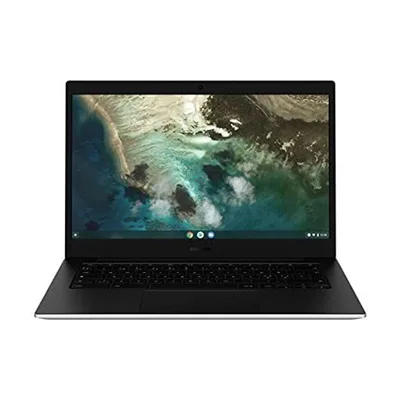
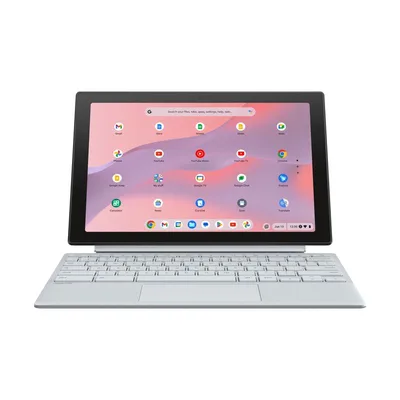
Key differences
- Memory Chromebook CM30 Detachable wins
The Chromebook CM30 Detachable has 8 GB of memory, while the Galaxy Chromebook Go LTE has 4 GB. That helps when you keep many apps, tabs or big projects open. Neither can be upgraded later.
- Sharpness Chromebook CM30 Detachable wins
The Chromebook CM30 Detachable has a noticeably sharper screen, so text looks crisper and you can fit more on screen comfortably.
- Weight Chromebook CM30 Detachable wins
The Chromebook CM30 Detachable weighs 0.9 kg, while the Galaxy Chromebook Go LTE weighs 1.45 kg. You'll feel the difference if it goes in your bag every day.
- Storage Chromebook CM30 Detachable wins
The Chromebook CM30 Detachable has a 128 GB drive, while the Galaxy Chromebook Go LTE has 64 GB. More room means fewer trips to the cloud or an external drive for photos, music and games.
- Updates Chromebook CM30 Detachable wins
Google promises updates for the Chromebook CM30 Detachable until 2033, and for the Galaxy Chromebook Go LTE until 2031. After that a Chromebook stops getting security fixes, so the later date means a longer useful life.
- Screen size Depends on you
The Galaxy Chromebook Go LTE has a 14-inch screen, the Chromebook CM30 Detachable a 10.5-inch one. The bigger screen is easier for spreadsheets, split-screen work and films, and the smaller one is easier to carry.
Which one should you choose?
Choose the Galaxy Chromebook Go LTE if…
- you want a bigger screen to work on
- you use USB sticks or older accessories
- you work in bright rooms with lots of reflections
Choose the Chromebook CM30 Detachable if…
- you keep lots of apps and tabs open
- you read or write a lot on screen
- you want something easier to carry
- you keep a big photo, music or game library on the laptop
Full spec comparison
Both run ChromeOS, so they suit similar buyers. The real differences are memory, sharpness and weight.
Green cells with a ✓ mark the better spec in that row. Tick "Show differences only" to hide the rows where they match.
Performance
| Spec | Samsung Galaxy Chromebook Go LTE | ASUS Chromebook CM30 Detachable |
|---|---|---|
| Processor | Intel Celeron N4500 | MediaTek Kompanio 520 |
| Graphics | Intel UHD Graphics | ARM Mali-G52 MC2 |
| Memory (RAM) | 4 GB | 8 GB |
| Memory type | LPDDR4X | LPDDR4X-4266 |
| Maximum memory | 4 GB | 8 GB |
| Memory upgrades | Soldered (not upgradeable) | Soldered (not upgradeable) |
| Storage | 64 GB | 128 GB |
| Storage type | eMMC | eMMC |
| Storage interface | eMMC | eMMC |
Screen
The Chromebook CM30 Detachable has a slightly taller screen (16:10 against 16:9), so you see more of a document or web page without scrolling. The Galaxy Chromebook Go LTE has a matte screen, which cuts reflections from windows and lights. The Chromebook CM30 Detachable has a glossy one, which reflects more, though some people prefer the look.
| Spec | Samsung Galaxy Chromebook Go LTE | ASUS Chromebook CM30 Detachable |
|---|---|---|
| Screen size | 14" | 10.5" |
| Resolution | HD (1366 x 768) | Full HD+ (1920 x 1200) |
| Aspect ratio | 16:9 | 16:10 |
| Panel | LCD | IPS |
| Refresh rate | — | 60 Hz |
| Variable refresh (VRR) | — | No |
| Brightness | — | 400 nits |
| Colour range | — | 118% sRGB |
| HDR | None | None |
| Finish | Matte | Glossy |
| Touchscreen | Yes | Yes |
| Pen standard | — | USI 2.0 |
Battery and size
| Spec | Samsung Galaxy Chromebook Go LTE | ASUS Chromebook CM30 Detachable |
|---|---|---|
| Battery life (maker claim) | Up to 12 hours | Up to 12 hours |
| Battery capacity | 42.3 Wh | 38 Wh |
| Charger | 45 W | 45 W |
| Charges via | USB-C | USB-C |
| Weight | 1.45 kg | 0.9 kg |
| Dimensions | 327.1 x 225.6 x 15.9 mm | 259.5 x 169.2 x 8.9-9.0 mm |
| Materials | — | 30% recycled aluminium case |
| Durability | shock-resistant build | MIL-STD-810H |
| Hinge | 180-degree lay-flat | detachable |
| Colour | Silver | Fog Silver |
| Colours available | Silver | Fog Silver |
Ports and wireless
Of the two, only the Galaxy Chromebook Go LTE has USB-A and a card reader, so you can plug in USB sticks and older accessories and copy photos straight from a camera card.
| Spec | Samsung Galaxy Chromebook Go LTE | ASUS Chromebook CM30 Detachable |
|---|---|---|
| Ports | 2x USB-C, 1x USB-A 3.2, 1x 3.5 mm audio, 1x microSD, 1x SIM tray | 1x USB-C 3.0 (charging, DisplayPort), 1x 3.5 mm combo audio, 1x pogo-pin interface for detachable keyboard |
| Thunderbolt / USB4 | None | None |
| Card reader | microSD | None |
| Ethernet | None | None |
| Wi-Fi | Wi-Fi 6 | Wi-Fi 6 |
| Bluetooth | Bluetooth 5.1 | Bluetooth 5.2 |
| Mobile data | 4G LTE | — |
Features
Only the Chromebook CM30 Detachable works as a tablet, which suits reading, handwritten notes and watching films in bed.
| Spec | Samsung Galaxy Chromebook Go LTE | ASUS Chromebook CM30 Detachable |
|---|---|---|
| Webcam | 720p HD (1 MP) | 5 MP front + 5 MP rear |
| Keyboard | 180-degree learning-oriented clamshell keyboard | detachable chiclet keyboard, 1.5 mm key travel, pogo-pin connector |
| Number pad | No | No |
| Speakers | stereo speakers | 2x built-in speakers |
| Microphones | digital microphone | multi-array microphone |
| Pen | — | Supported (sold separately) |
| Security | — | Google Titan C |
Software and model
| Spec | Samsung Galaxy Chromebook Go LTE | ASUS Chromebook CM30 Detachable |
|---|---|---|
| Operating system | ChromeOS | ChromeOS |
| Updates until | June 2031 | June 2033 |
| Model number | XE345XDA-KA2UK | CM3001DM2A-WS88T-S |
| Released | 2021 | 2023 |