


HP Chromebook 11A G8 vs Acer Chromebook Spin 713
For most people, the Chromebook Spin 713 is the one to get. Its processor is quicker day to day, it has more memory and its screen is sharper. The Chromebook 11A G8 doesn't come out ahead on any of the differences here.
We earn a commission from qualifying Amazon purchases made through our links, at no extra cost to you. This never affects our specs. How we make money.
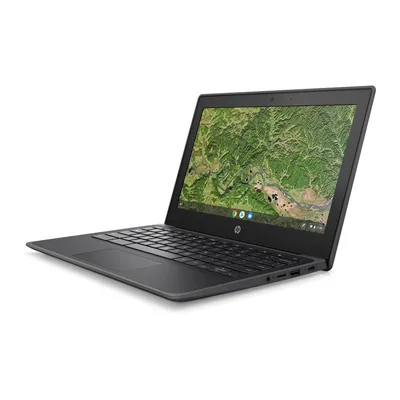
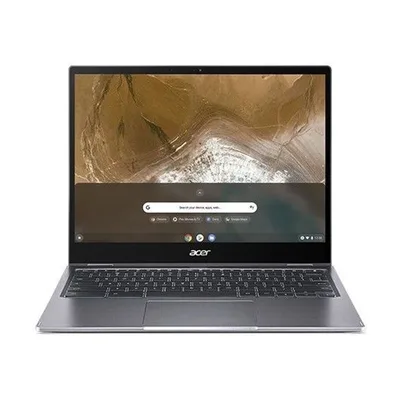
Key differences
- Processor Chromebook Spin 713 wins
The Chromebook Spin 713 has a faster class of processor. It keeps up better with several apps at once, while the Chromebook 11A G8 suits one task at a time.
- Memory Chromebook Spin 713 wins
The Chromebook Spin 713 has 16 GB of memory, while the Chromebook 11A G8 has 4 GB. That helps when you keep many apps, tabs or big projects open.
- Sharpness Chromebook Spin 713 wins
The Chromebook Spin 713 has a noticeably sharper screen, so text looks crisper and you can fit more on screen comfortably.
- Storage Chromebook Spin 713 wins
The Chromebook Spin 713 has a 256 GB drive, while the Chromebook 11A G8 has 16 GB. More room means fewer trips to the cloud or an external drive for photos, music and games.
- Updates Chromebook Spin 713 wins
Google promises updates for the Chromebook Spin 713 until 2030, and for the Chromebook 11A G8 until 2029. After that a Chromebook stops getting security fixes, so the later date means a longer useful life.
- Screen size Depends on you
The Chromebook Spin 713 has a 13.5-inch screen, the Chromebook 11A G8 an 11.6-inch one. The bigger screen is easier for spreadsheets, split-screen work and films, and here it doesn't cost you any weight.
Which one should you choose?
Choose the Chromebook 11A G8 if…
- you don't need what the Chromebook Spin 713 adds
Choose the Chromebook Spin 713 if…
- you want everyday work to feel quicker
- you keep lots of apps and tabs open
- you read or write a lot on screen
- you keep a big photo, music or game library on the laptop
Full spec comparison
Both run ChromeOS, so they suit similar buyers. The real differences are processor power, memory and sharpness.
Green cells with a ✓ mark the better spec in that row. Tick "Show differences only" to hide the rows where they match.
Performance
The Chromebook Spin 713 uses an SSD, which is quicker than the slower eMMC storage in the Chromebook 11A G8. Apps open and files copy faster.
| Spec | HP Chromebook 11A G8 | Acer Chromebook Spin 713 |
|---|---|---|
| Processor | AMD A4-9120C | Intel Core i5-10210U |
| Graphics | AMD Radeon R4 | Intel UHD Graphics |
| Memory (RAM) | 4 GB | 16 GB |
| Memory type | DDR4-1866 | DDR4 |
| Maximum memory | 4 GB | 16 GB |
| Memory upgrades | Soldered (not upgradeable) | — |
| Storage | 16 GB | 256 GB |
| Storage type | eMMC | SSD |
| Storage interface | eMMC 5.0 | PCIe NVMe SSD |
Screen
| Spec | HP Chromebook 11A G8 | Acer Chromebook Spin 713 |
|---|---|---|
| Screen size | 11.6" | 13.5" |
| Resolution | HD (1366 x 768) | 2K (2256 x 1504) |
| Aspect ratio | 16:9 | 3:2 |
| Panel | Basic screen: colours fade at an angle | IPS |
| Variable refresh (VRR) | No | — |
| Brightness | 220 nits | — |
| Colour range | 45% NTSC | — |
| HDR | None | — |
| Finish | Matte | — |
| Touchscreen | No | Yes |
Battery and size
| Spec | HP Chromebook 11A G8 | Acer Chromebook Spin 713 |
|---|---|---|
| Battery life (maker claim) | Up to 10 hours | Up to 10 hours |
| Battery capacity | 47.36 Wh | — |
| Charger | 45 W | — |
| Charges via | USB-C | USB-C |
| Fast charging | 90% in 90 minutes | — |
| Weight | 1.37 kg | 1.37 kg |
| Dimensions | 295 x 205.3 x 18.8 mm | 299.7 x 236.2 x 16.8 mm |
| Materials | — | aluminium chassis |
| Durability | MIL-STD-810H | MIL-STD-810G |
| Hinge | 180-degree hinge | 360-degree convertible |
| Colour | Grey | Steel Gray |
Ports and wireless
Of the two, only the Chromebook Spin 713 has HDMI, so you can connect a TV or monitor without an adapter. The Chromebook Spin 713 has Wi-Fi 6, the Chromebook 11A G8 Wi-Fi 5. With a newer router at home, the newer standard is quicker and copes better with busy networks.
| Spec | HP Chromebook 11A G8 | Acer Chromebook Spin 713 |
|---|---|---|
| Ports | 2x USB-C 3.1 Gen 1 (charging, power delivery, DisplayPort video, data), 2x USB 2.0, 1x 3.5 mm headphone/microphone combo, 1x microSD (SD, SDHC, SDXC) | 2x USB-C 3.2 Gen 1 (5 Gbps, DisplayPort, both charge), 1x USB-A 3.2 Gen 1, 1x HDMI, 1x 3.5 mm headphone/mic combo, 1x microSD |
| Thunderbolt / USB4 | None | — |
| Card reader | microSD | microSD |
| Ethernet | None | — |
| Wi-Fi | Wi-Fi 5 | Wi-Fi 6 |
| Wi-Fi card | Qualcomm Wireless-AC 802.11ac (2x2) with Bluetooth 4.2 | Intel Wi-Fi 6 AX201 |
| Bluetooth | Bluetooth 4.2 | Bluetooth 5.0 |
| Mobile data | None | — |
Features
Only the Chromebook Spin 713 folds into a tablet, which suits reading, handwritten notes and watching films in bed.
| Spec | HP Chromebook 11A G8 | Acer Chromebook Spin 713 |
|---|---|---|
| Webcam | 720p | 720p |
| Backlit keyboard | — | Yes |
| Keyboard | Full-size textured island-style, spill-resistant, pick-resistant (HP Improved Anchored Key Design) | — |
| Number pad | No | No |
| Touchpad | Multi-touch gesture touchpad | Corning Gorilla Glass touchpad |
| Speakers | Dual speakers | 2x stereo speakers |
| Microphones | Integrated microphone | dual microphones |
| Pen | No | No |
| Security | Google H1 security chip, Nano security lock slot (lock sold separately) | TPM |
Software and model
| Spec | HP Chromebook 11A G8 | Acer Chromebook Spin 713 |
|---|---|---|
| Operating system | ChromeOS | ChromeOS |
| Updates until | June 2029 | June 2030 |
| Model number | 9VZ08EA-cr | NX.HQBAA.002 |
| Released | 2020 | 2020 |