


HP Chromebook 11A G8 vs ASUS Chromebook Flip CR1
For most people, the Chromebook Flip CR1 is the one to get. It has more memory, it has more storage and its battery lasts longer. Choose the Chromebook 11A G8 instead if you work in bright rooms with lots of reflections.
We earn a commission from qualifying Amazon purchases made through our links, at no extra cost to you. This never affects our specs. How we make money.
Key differences
- Memory Chromebook Flip CR1 wins
The Chromebook Flip CR1 has 8 GB of memory, while the Chromebook 11A G8 has 4 GB. That helps when you keep many apps, tabs or big projects open. Neither can be upgraded later.
- Storage Chromebook Flip CR1 wins
The Chromebook Flip CR1 has a 32 GB drive, while the Chromebook 11A G8 has 16 GB. More room means fewer trips to the cloud or an external drive for photos, music and games.
- Battery life Chromebook Flip CR1 wins
The Chromebook Flip CR1 is rated for 12 hours on a charge and the Chromebook 11A G8 for 10. Makers measure these in light use, so real days come out shorter on both.
- Updates Chromebook Flip CR1 wins
Google promises updates for the Chromebook Flip CR1 until 2031, and for the Chromebook 11A G8 until 2029. After that a Chromebook stops getting security fixes, so the later date means a longer useful life.
- Tablet Chromebook Flip CR1 wins
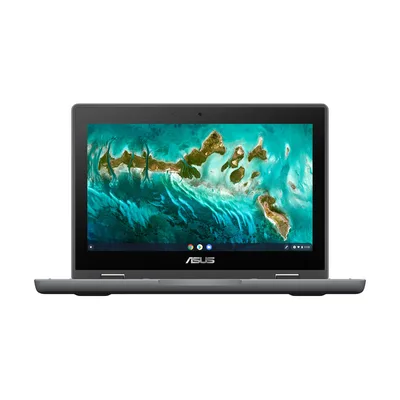
Only the Chromebook Flip CR1 folds into a tablet, which suits reading, handwritten notes and watching films in bed.
- Pen Chromebook Flip CR1 wins
Of the two, only the Chromebook Flip CR1 works with a pen, so you can write notes or sketch straight on the screen.
Which one should you choose?
Choose the Chromebook 11A G8 if…
- you work in bright rooms with lots of reflections
Choose the Chromebook Flip CR1 if…
- you keep lots of apps and tabs open
- you keep a big photo, music or game library on the laptop
- you work away from a socket for long stretches
- you want it to stay updated for as long as possible
Full spec comparison
Both run ChromeOS, so the choice comes down to the details. The real differences are memory, storage and battery life.
Green cells with a ✓ mark the better spec in that row. Tick "Show differences only" to hide the rows where they match.
Performance
| Spec | HP Chromebook 11A G8 | ASUS Chromebook Flip CR1 |
|---|---|---|
| Processor | AMD A4-9120C | Celeron N5100 |
| Graphics | AMD Radeon R4 | Intel UHD Graphics |
| Memory (RAM) | 4 GB | 8 GB |
| Memory type | DDR4-1866 | LPDDR4X-4266 |
| Maximum memory | 4 GB | 8 GB |
| Memory upgrades | Soldered (not upgradeable) | Soldered (not upgradeable) |
| Storage | 16 GB | 32 GB |
| Storage type | eMMC | eMMC |
| Storage interface | eMMC 5.0 | onboard eMMC |
| Storage slots | — | 0 |
Screen
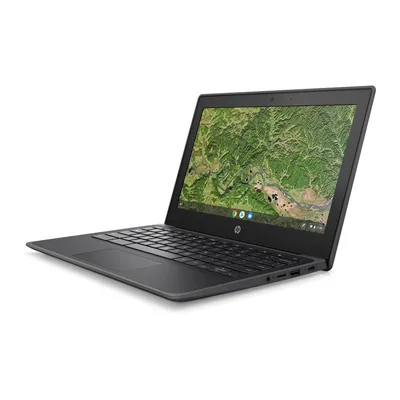
The Chromebook 11A G8 has a matte screen, which cuts reflections from windows and lights. The Chromebook Flip CR1 has a glossy one, which reflects more, though some people prefer the look.
| Spec | HP Chromebook 11A G8 | ASUS Chromebook Flip CR1 |
|---|---|---|
| Screen size | 11.6" | 11.6" |
| Resolution | HD (1366 x 768) | HD (1366 x 768) |
| Aspect ratio | 16:9 | 16:9 |
| Panel | Basic screen: colours fade at an angle | LCD |
| Variable refresh (VRR) | No | — |
| Brightness | 220 nits | 250 nits |
| Colour range | 45% NTSC | 50% NTSC |
| HDR | None | — |
| Finish | Matte | Glossy |
| Touchscreen | No | Yes |
| Pen standard | — | USI 1.0 |
Battery and size
| Spec | HP Chromebook 11A G8 | ASUS Chromebook Flip CR1 |
|---|---|---|
| Battery life (maker claim) | Up to 10 hours | Up to 12 hours |
| Battery capacity | 47.36 Wh | 47 Wh |
| Charger | 45 W | 45 W |
| Charges via | USB-C | USB-C |
| Fast charging | 90% in 90 minutes | — |
| Weight | 1.37 kg | 1.42 kg |
| Dimensions | 295 x 205.3 x 18.8 mm | 294.6 x 204.9 x 20.65 mm |
| Durability | MIL-STD-810H | MIL-STD-810H |
| Hinge | 180-degree hinge | 360-degree convertible |
| Colour | Grey | Dark Grey |
Ports and wireless
| Spec | HP Chromebook 11A G8 | ASUS Chromebook Flip CR1 |
|---|---|---|
| Ports | 2x USB-C 3.1 Gen 1 (charging, power delivery, DisplayPort video, data), 2x USB 2.0, 1x 3.5 mm headphone/microphone combo, 1x microSD (SD, SDHC, SDXC) | 2x USB-C 3.2 Gen 1 (charging, DisplayPort Alt Mode), 2x USB-A 3.2 Gen 1, 1x 3.5 mm audio, 1x microSD |
| Thunderbolt / USB4 | None | None |
| Card reader | microSD | microSD |
| Ethernet | None | None |
| Wi-Fi | Wi-Fi 5 | — |
| Wi-Fi card | Qualcomm Wireless-AC 802.11ac (2x2) with Bluetooth 4.2 | — |
| Bluetooth | Bluetooth 4.2 | — |
| Mobile data | None | — |
Features
| Spec | HP Chromebook 11A G8 | ASUS Chromebook Flip CR1 |
|---|---|---|
| Webcam | 720p | 720p user-facing + 8 MP world-facing |
| Keyboard | Full-size textured island-style, spill-resistant, pick-resistant (HP Improved Anchored Key Design) | Chiclet; 1.5 mm key travel; spill-resistant; ASUS Antibacterial Guard |
| Number pad | No | No |
| Touchpad | Multi-touch gesture touchpad | — |
| Speakers | Dual speakers | built-in stereo 2 W speakers |
| Microphones | Integrated microphone | built-in array microphone |
| Pen | No | Supported (sold separately) |
| Security | Google H1 security chip, Nano security lock slot (lock sold separately) | Google Titan C, Kensington lock |
Software and model
| Spec | HP Chromebook 11A G8 | ASUS Chromebook Flip CR1 |
|---|---|---|
| Operating system | ChromeOS | ChromeOS |
| Updates until | June 2029 | June 2031 |
| Model number | 9VZ08EA-cr | CR1100FKA-YZ182T |
| Released | 2020 | — |