


Toshiba Dynabook K50 2-in-1 vs HP ProBook x360 435 G8
For most people, the ProBook x360 435 G8 is the one to get. Its processor is quicker day to day, it has more memory and it has more storage. The Dynabook K50 2-in-1 makes more sense if you want something easier to carry.
We earn a commission from qualifying Amazon purchases made through our links, at no extra cost to you. This never affects our specs. How we make money.
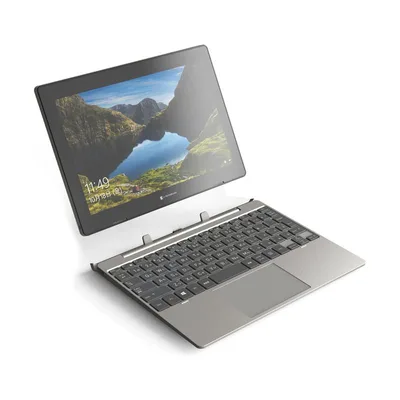
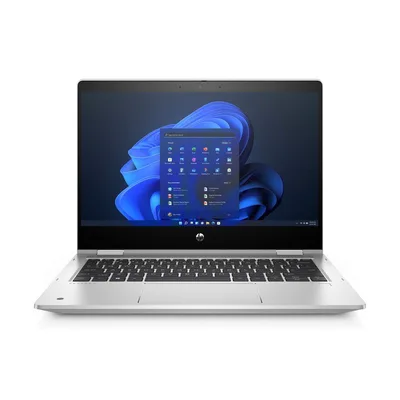
Key differences
- Processor ProBook x360 435 G8 wins
The ProBook x360 435 G8 has a faster class of processor. It keeps up better with several apps at once, while the Dynabook K50 2-in-1 suits one task at a time.
- Memory ProBook x360 435 G8 wins
The ProBook x360 435 G8 has 16 GB of memory, while the Dynabook K50 2-in-1 has 4 GB. That helps when you keep many apps, tabs or big projects open.
- Storage ProBook x360 435 G8 wins
The ProBook x360 435 G8 has a 512 GB drive, while the Dynabook K50 2-in-1 has 64 GB. More room means fewer trips to the cloud or an external drive for photos, music and games.
- Weight Dynabook K50 2-in-1 wins
The Dynabook K50 2-in-1 weighs 1.18 kg and the ProBook x360 435 G8 1.45 kg, so the Dynabook K50 2-in-1 is a little lighter to carry.
- Screen size Depends on you
The ProBook x360 435 G8 has a 13.3-inch screen, the Dynabook K50 2-in-1 a 10.1-inch one. The bigger screen is easier for spreadsheets, split-screen work and films, and the smaller one is easier to carry.
- Upgrades ProBook x360 435 G8 wins
Only the ProBook x360 435 G8 lets you add memory later, up to 32 GB. On the Dynabook K50 2-in-1, what you buy is what you keep.
Which one should you choose?
Choose the Dynabook K50 2-in-1 if…
- you want something easier to carry
Choose the ProBook x360 435 G8 if…
- you want everyday work to feel quicker
- you keep lots of apps and tabs open
- you keep a big photo, music or game library on the laptop
- you want a bigger screen to work on
Full spec comparison
Both run Windows and work as tablets, so they're aimed at much the same people. The real differences are processor power, memory and storage.
Green cells with a ✓ mark the better spec in that row. Tick "Show differences only" to hide the rows where they match.
Performance
| Spec | Toshiba Dynabook K50 2-in-1 | HP ProBook x360 435 G8 |
|---|---|---|
| Processor | Intel Celeron N4020 | AMD Ryzen 7 PRO 5850U |
| Graphics | Intel UHD Graphics 600 | AMD Radeon Graphics |
| Memory (RAM) | 4 GB | 16 GB |
| Memory type | LPDDR4-2400 | DDR4-3200 |
| Maximum memory | 4 GB | 32 GB |
| Memory upgrades | Soldered (not upgradeable) | Upgradeable (slots) |
| Storage | 64 GB | 512 GB |
| Storage type | — | SSD |
| Storage interface | — | PCIe NVMe M.2 |
| Storage slots | 0 | — |
Screen
The Dynabook K50 2-in-1 has a slightly taller screen (16:10 against 16:9), so you see more of a document or web page without scrolling.
| Spec | Toshiba Dynabook K50 2-in-1 | HP ProBook x360 435 G8 |
|---|---|---|
| Screen size | 10.1" | 13.3" |
| Resolution | 1280 x 800 | Full HD (1920 x 1080) |
| Aspect ratio | 16:10 | 16:9 |
| Panel | LCD | IPS |
| Refresh rate | — | 60 Hz |
| Variable refresh (VRR) | — | No |
| HDR | None | None |
| Finish | — | Glossy |
| Touchscreen | Yes | Yes |
| Pen standard | active electrostatic | — |
Battery and size
The ProBook x360 435 G8 is rated for slightly longer on a charge, 17 hours against 16, which is too small a gap to notice day to day.
| Spec | Toshiba Dynabook K50 2-in-1 | HP ProBook x360 435 G8 |
|---|---|---|
| Battery life (maker claim) | Up to 16 hours | Up to 17 hours |
| Battery capacity | — | 45 Wh |
| Charger | 45 W | — |
| Charges via | — | USB-C (Power Delivery) and AC power connector |
| Fast charging | None | 50% in 30 minutes (with 65 W adapter) |
| Weight | 1.18 kg | 1.45 kg |
| Dimensions | 249 x 178 x 9.7 mm | 308.5 x 222.95 x 17.95 mm |
| Materials | magnesium alloy | anodized aluminum top cover and keyboard deck |
| Durability | — | MIL-STD-810H |
| Hinge | detachable | 360-degree convertible (laptop, tablet, stand, tent modes) |
Ports and wireless
Of the two, only the ProBook x360 435 G8 has HDMI, so you can connect a TV or monitor without an adapter.
| Spec | Toshiba Dynabook K50 2-in-1 | HP ProBook x360 435 G8 |
|---|---|---|
| Ports | 1x USB-C 3.1 Gen 1 (data only; does not charge), 2x USB-A 2.0 (keyboard dock), 1x 3.5 mm audio, 1x microSD | 1x USB-C 10Gbps (Power Delivery charging, DisplayPort 1.4), 2x USB-A 5Gbps (1 charging), 1x HDMI 1.4b, 1x 3.5 mm headphone/microphone combo, 1x microSD, 1x AC power connector |
| Thunderbolt / USB4 | None | None |
| Card reader | microSDXC (up to 1 TB) | microSD |
| Ethernet | None | None |
| Wi-Fi | Wi-Fi 5 | Wi-Fi 5 |
| Bluetooth | Bluetooth 5.1 | Bluetooth 5.0 |
| Mobile data | None | None |
Features
| Spec | Toshiba Dynabook K50 2-in-1 | HP ProBook x360 435 G8 |
|---|---|---|
| Webcam | 2 MP front + 5 MP rear | 720p |
| Webcam privacy | None | HP Privacy Camera |
| Backlit keyboard | No | — |
| Keyboard | detachable 84-key Japanese JIS keyboard, 17 mm pitch, 1.2 mm travel | HP Premium Keyboard, spill resistant with DuraKeys |
| Number pad | No | — |
| Touchpad | keyboard-dock touchpad | Clickpad with multi-touch gesture support |
| Speakers | stereo speakers | 2 integrated stereo speakers, 2 W/4 ohm each |
| Microphones | mono microphone | dual array |
| Pen | Supported (sold separately) | Supported (sold separately) |
| Security | Intel PTT | TPM 2.0, Nano Security Lock Slot, HP Sure Start Gen6, HP Sure Click, HP Sure Sense |
Software and model
| Spec | Toshiba Dynabook K50 2-in-1 | HP ProBook x360 435 G8 |
|---|---|---|
| Operating system | Windows 11 Pro | Windows 11 Pro |
| Released | 2022 | 2021 |