


HP Chromebook 14a (older gen) vs Acer Chromebook Spin 314
For most people, the Chromebook Spin 314 is the one to get. Its screen is sharper and it has a card reader. Choose the Chromebook 14a instead if you work in bright rooms with lots of reflections.
We earn a commission from qualifying Amazon purchases made through our links, at no extra cost to you. This never affects our specs. How we make money.
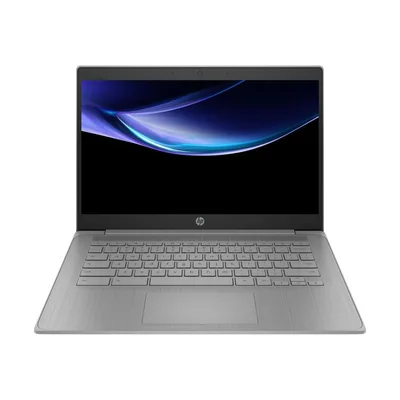
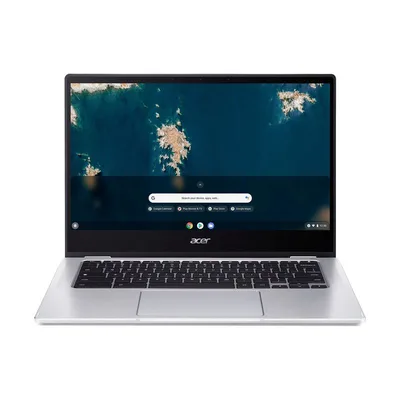
Key differences
- Sharpness Chromebook Spin 314 wins
The Chromebook Spin 314 has a noticeably sharper screen, so text looks crisper and you can fit more on screen comfortably.
- Pen Chromebook Spin 314 wins
Just the Chromebook Spin 314 works with a pen, so you can write notes or sketch straight on the screen.
- Touchscreen Chromebook Spin 314 wins
Only the Chromebook Spin 314 has a touchscreen, handy for scrolling, signing documents and quick taps.
- Ports Chromebook Spin 314 wins
Of the two, only the Chromebook Spin 314 has a card reader, so you can copy photos straight from a camera card.
- Screen finish Depends on you
The Chromebook 14a has a matte screen, which cuts reflections from windows and lights. The Chromebook Spin 314 has a glossy one, which reflects more, though some people prefer the look.
- Battery life Chromebook 14a wins
The Chromebook 14a is rated for slightly longer on a charge, 11.3 hours against 10, which is too small a gap to notice day to day.
Which one should you choose?
Choose the Chromebook 14a if…
- you work in bright rooms with lots of reflections
Choose the Chromebook Spin 314 if…
- you read or write a lot on screen
- you want to sketch or mark up documents with a pen
- you like to tap and scroll on the screen
- you copy photos from a camera
Full spec comparison
Both run ChromeOS and have the same Intel Celeron N4500 chip, so everyday speed feels much the same. The real differences are sharpness, pen support and the touchscreen.
Green cells with a ✓ mark the better spec in that row. Tick "Show differences only" to hide the rows where they match.
Performance
| Spec | HP Chromebook 14a (older gen) | Acer Chromebook Spin 314 |
|---|---|---|
| Processor | Intel Celeron N4500 | Intel Celeron N4500 |
| Graphics | Intel UHD Graphics | Intel UHD Graphics |
| Memory (RAM) | 4 GB | 4 GB |
| Memory type | LPDDR4X | DDR4 |
| Maximum memory | 4 GB | 4 GB |
| Memory upgrades | Soldered (not upgradeable) | Soldered (not upgradeable) |
| Storage | 64 GB | 64 GB |
| Storage type | eMMC | eMMC |
| Storage interface | eMMC | eMMC |
| Storage slots | 0 | 0 |
Screen
| Spec | HP Chromebook 14a (older gen) | Acer Chromebook Spin 314 |
|---|---|---|
| Screen size | 14" | 14" |
| Resolution | HD (1366 x 768) | Full HD (1920 x 1080) |
| Aspect ratio | 16:9 | 16:9 |
| Panel | LCD | IPS |
| Refresh rate | — | 60 Hz |
| Variable refresh (VRR) | No | — |
| Brightness | 250 nits | — |
| Colour range | 45% NTSC | — |
| HDR | None | — |
| Finish | Matte | Glossy |
| Touchscreen | No | Yes |
Battery and size
| Spec | HP Chromebook 14a (older gen) | Acer Chromebook Spin 314 |
|---|---|---|
| Battery life (maker claim) | Up to 11.25 hours | Up to 10 hours |
| Battery capacity | 47 Wh | 48 Wh |
| Charger | 45 W | 45 W |
| Charges via | USB-C | — |
| Fast charging | approximately 50% in 45 minutes | — |
| Weight | 1.52 kg | 1.55 kg |
| Dimensions | 326.5 x 226.9 x 18.3 mm | 326.4 x 227.5 x 19.8 mm |
| Materials | recycled aluminium cover; recycled plastic in bezel, keycaps and speaker enclosure | — |
| Hinge | — | 360-degree convertible |
| Colour | Modern grey | Pure Silver |
| Colours available | Modern grey | Pure Silver |
Ports and wireless
| Spec | HP Chromebook 14a (older gen) | Acer Chromebook Spin 314 |
|---|---|---|
| Ports | 1x USB-C 10Gbps (Power Delivery charging, DisplayPort 1.4), 2x USB-A 5Gbps, 1x HDMI 1.4b, 1x 3.5 mm headphone/microphone combo | 2x USB-A 3.2 Gen 1, 1x USB-C 3.2 Gen 1, 1x HDMI (version not published), 1x 3.5 mm audio |
| Thunderbolt / USB4 | None | None |
| Card reader | None | microSD |
| Ethernet | None | None |
| Wi-Fi | Wi-Fi 6 | Wi-Fi 6 |
| Wi-Fi card | Realtek Wi-Fi 6 2x2 | Intel Wi-Fi 6 AX201 |
| Bluetooth | Bluetooth 5.4 | Bluetooth 5.2 |
| Mobile data | None | None |
Features
| Spec | HP Chromebook 14a (older gen) | Acer Chromebook Spin 314 |
|---|---|---|
| Webcam | 720p | 720p |
| Backlit keyboard | No | No |
| Keyboard | full-size keyboard, 1.5 mm key travel | — |
| Number pad | No | No |
| Touchpad | HP Imagepad with four-finger multi-touch gestures | — |
| Speakers | dual stereo speakers | 2 speakers |
| Microphones | integrated dual-array digital microphones | dual-array |
| Pen | No | Supported (sold separately) |
| Security | H1 Secure Microcontroller | Discrete H1 TPM, Kensington lock |
Software and model
| Spec | HP Chromebook 14a (older gen) | Acer Chromebook Spin 314 |
|---|---|---|
| Operating system | ChromeOS | ChromeOS |
| Updates until | — | June 2031 |
| Model number | BG9H3EA#ABU | NX.AZ3EK.001 |
| Released | — | 2021 |