


Microsoft Surface Laptop 13.8 (7th Edition) vs Apple MacBook Air 13 (M4)
The biggest choice here is the system: the Surface Laptop 13.8 runs Windows, while the MacBook Air 13 runs macOS. Beyond that, for most people the Surface Laptop 13.8 is the one to get. It has more storage and it has USB-A. Choose the MacBook Air 13 instead if you use an iPhone and want everything to work together.
We earn a commission from qualifying Amazon purchases made through our links, at no extra cost to you. This never affects our specs. How we make money.
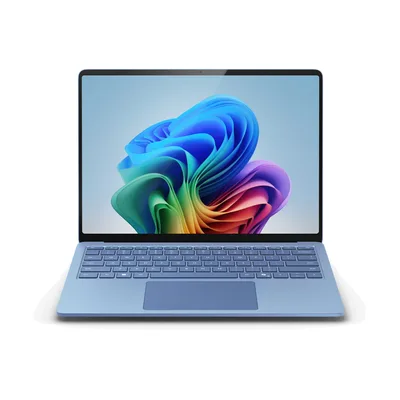
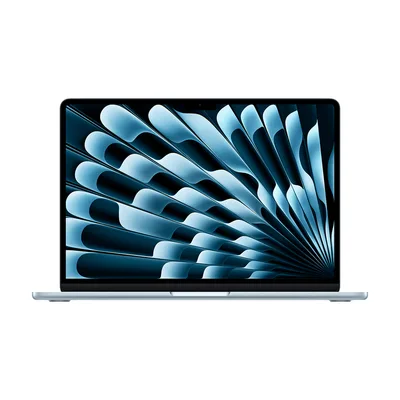
Key differences
- System Depends on you
The Surface Laptop 13.8 runs Windows, while the MacBook Air 13 runs macOS. A Mac suits iPhone owners and creative apps, while Windows runs the widest range of programs.
- Storage Surface Laptop 13.8 wins
The Surface Laptop 13.8 has a 512 GB drive, while the MacBook Air 13 has 256 GB. The bigger drive holds far more photos, music and games before you have to clear space.
- Touchscreen Surface Laptop 13.8 wins
Only the Surface Laptop 13.8 has a touchscreen, handy for scrolling, signing documents and quick taps.
- Ports Surface Laptop 13.8 wins
Of the two, only the Surface Laptop 13.8 has USB-A, so you can plug in USB sticks and older accessories without an adapter.
- Age MacBook Air 13 wins
The MacBook Air 13 came out in 2025, the Surface Laptop 13.8 in 2024. Newer models usually get software and security updates for longer.
- Wi-Fi Surface Laptop 13.8 wins
The Surface Laptop 13.8 has Wi-Fi 7, the MacBook Air 13 Wi-Fi 6E. The newer standard only pays off if your router supports it, so it's a small edge.
Which one should you choose?
Choose the Surface Laptop 13.8 if…
- you need Windows-only software
- you keep a big photo, music or game library on the laptop
- you like to tap and scroll on the screen
- you use USB sticks or older accessories
Choose the MacBook Air 13 if…
- you use an iPhone and want everything to work together
Full spec comparison
These two are quite different laptops. The real differences are the operating system, storage and the touchscreen.
Green cells with a ✓ mark the better spec in that row. Tick "Show differences only" to hide the rows where they match.
Performance
| Spec | Microsoft Surface Laptop 13.8 (7th Edition) | Apple MacBook Air 13 (M4) |
|---|---|---|
| Processor | Qualcomm Snapdragon X Plus X1P-64-100 | Apple M4 (10-core CPU) |
| Graphics | Qualcomm Adreno GPU | Apple M4 8-core GPU |
| AI engine (NPU) | 45 TOPS | — |
| Memory (RAM) | 16 GB | 16 GB |
| Memory type | LPDDR5x | — |
| Maximum memory | 16 GB | 32 GB |
| Memory upgrades | Soldered (not upgradeable) | — |
| Storage | 512 GB | 256 GB |
| Storage type | SSD | SSD |
| Storage interface | Gen 4 SSD (removable) | — |
Screen
The Surface Laptop 13.8 has a slightly brighter screen, 600 nits against 500.
| Spec | Microsoft Surface Laptop 13.8 (7th Edition) | Apple MacBook Air 13 (M4) |
|---|---|---|
| Screen size | 13.8" | 13.6" |
| Resolution | 2K (2304 x 1536) | 2.5K (2560 x 1664) |
| Aspect ratio | 3:2 | 20:13 |
| Panel | LCD | IPS |
| Refresh rate | 120 Hz | — |
| Brightness | 600 nits | 500 nits |
| Colour range | sRGB and Vivid colour profiles | Wide colour (P3) |
| HDR | Dolby Vision IQ, HDR 600 nits peak | — |
| Finish | Glossy | — |
| Touchscreen | Yes | No |
Battery and size
The MacBook Air 13 weighs 1.24 kg and the Surface Laptop 13.8 1.34 kg, so there's little in it. The Surface Laptop 13.8 is rated for 20 hours on a charge and the MacBook Air 13 for 18. Both figures are best cases, and real use comes in lower on each.
| Spec | Microsoft Surface Laptop 13.8 (7th Edition) | Apple MacBook Air 13 (M4) |
|---|---|---|
| Battery life (maker claim) | Up to 20 hours | Up to 18 hours |
| Battery capacity | 54 Wh | 53.8 Wh |
| Charger | 39 W | 30 W |
| Charges via | USB-C, Surface Connect | MagSafe 3 (also charges via Thunderbolt 4 USB-C) |
| Fast charging | — | Fast-charge capable with 70W USB-C adapter (no time claim) |
| Weight | 1.34 kg | 1.24 kg |
| Dimensions | 301 x 220 x 17.5 mm | 304.1 x 215 x 11.3 mm |
| Materials | Anodized aluminum casing | Aluminium enclosure (100% recycled aluminium) |
| Colour | Sapphire | Midnight |
| Colours available | Platinum, Black, Sapphire, Dune | Sky Blue, Silver, Starlight, Midnight |
Ports and wireless
| Spec | Microsoft Surface Laptop 13.8 (7th Edition) | Apple MacBook Air 13 (M4) |
|---|---|---|
| Ports | 2x USB-C / USB 4 (charging, data, DisplayPort 1.4a), 1x USB-A 3.1, 1x 3.5 mm audio, 1x Surface Connect (charging) | 2x Thunderbolt 4 (USB-C, 40Gb/s, charging, DisplayPort, USB 4), 1x MagSafe 3 (charging), 1x 3.5 mm headphone |
| Thunderbolt / USB4 | USB4 | Thunderbolt 4 (up to 40Gb/s) |
| External displays (max) | — | 2 |
| Card reader | None | None |
| Ethernet | None | None |
| Wi-Fi | Wi-Fi 7 | Wi-Fi 6E |
| Bluetooth | Bluetooth 5.4 | Bluetooth 5.3 |
| Mobile data | None | None |
Features
| Spec | Microsoft Surface Laptop 13.8 (7th Edition) | Apple MacBook Air 13 (M4) |
|---|---|---|
| Webcam | 1080p | 12MP Center Stage |
| Backlit keyboard | Yes | Yes |
| Keyboard | Backlit, mechanical keys, QWERTY with F1-F12 row, Copilot key, media and brightness buttons | Backlit Magic Keyboard, 79-key ISO (UK), 12 full-height function keys, Touch ID, ambient light sensor |
| Login | Face | Fingerprint |
| Number pad | No | No |
| Touchpad | Precision Haptic touchpad | Force Touch trackpad (Multi-Touch) |
| Speakers | Omnisonic Speakers with Dolby Atmos | Four-speaker sound system, Spatial Audio / Dolby Atmos |
| Microphones | Dual Studio Mics with voice focus | Three-mic array with directional beamforming |
| Pen | No | No |
| Security | TPM 2.0, BitLocker support, Windows 11 Secured-core PC, Microsoft Pluton, Windows Hello face authentication | — |
Software and model
| Spec | Microsoft Surface Laptop 13.8 (7th Edition) | Apple MacBook Air 13 (M4) |
|---|---|---|
| Operating system | Windows 11 Home | macOS |
| Model number | ZGM-00064 | — |
| Released | 2024 | 2025 |