


Acer Chromebook Spin 314 (CP314-2HN) vs Lenovo IdeaPad Flex 5i Chromebook Plus (14IAU7)
For most people, the IdeaPad Flex 5i Chromebook Plus is the one to get. Its processor is quicker day to day, it has more memory and it has more storage. The Chromebook Spin 314 makes more sense if you want it to stay updated for as long as possible.
We earn a commission from qualifying Amazon purchases made through our links, at no extra cost to you. This never affects our specs. How we make money.
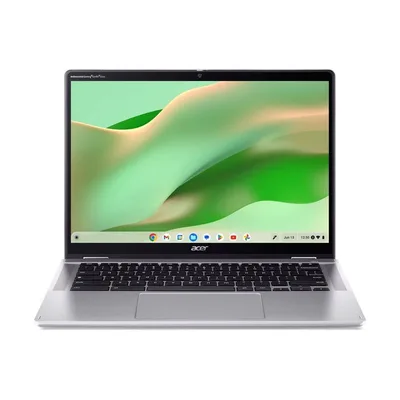
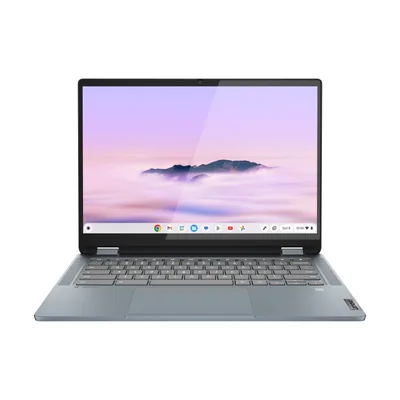
Key differences
- Processor IdeaPad Flex 5i Chromebook Plus wins
The IdeaPad Flex 5i Chromebook Plus has the stronger processor, a step above the entry-level N100 in the Chromebook Spin 314. It keeps up better with several apps and tabs at once.
- Memory IdeaPad Flex 5i Chromebook Plus wins
The IdeaPad Flex 5i Chromebook Plus has 8 GB of memory, while the Chromebook Spin 314 has 4 GB. That helps when you keep many apps, tabs or big projects open. Neither can be upgraded later.
- Storage IdeaPad Flex 5i Chromebook Plus wins
The IdeaPad Flex 5i Chromebook Plus has a 256 GB drive, while the Chromebook Spin 314 has 128 GB. With the smaller drive, more of your photos and games end up in the cloud or on a USB drive.
- Updates Chromebook Spin 314 wins
Google promises updates for the Chromebook Spin 314 until 2033, and for the IdeaPad Flex 5i Chromebook Plus until 2032. After that a Chromebook stops getting security fixes, so the later date means a longer useful life.
- Ports Depends on you
Each has ports the other lacks: the Chromebook Spin 314 has HDMI, so you can connect a TV or monitor without an adapter, and the IdeaPad Flex 5i Chromebook Plus has a card reader, so you can copy photos straight from a camera card.
- Webcam IdeaPad Flex 5i Chromebook Plus wins
The IdeaPad Flex 5i Chromebook Plus has the sharper webcam, so you look clearer on video calls.
Which one should you choose?
Choose the Chromebook Spin 314 if…
- you want it to stay updated for as long as possible
- you connect to a TV or monitor
Choose the IdeaPad Flex 5i Chromebook Plus if…
- you want everyday work to feel quicker
- you keep lots of apps and tabs open
- you keep a big photo, music or game library on the laptop
- you copy photos from a camera
Full spec comparison
Both run ChromeOS and fold into a tablet, so they're aimed at much the same people. The real differences are processor power, memory and storage.
Green cells with a ✓ mark the better spec in that row. Tick "Show differences only" to hide the rows where they match.
Performance
| Spec | Acer Chromebook Spin 314 (CP314-2HN) | Lenovo IdeaPad Flex 5i Chromebook Plus (14IAU7) |
|---|---|---|
| Processor | Intel N100 | Intel Core i3-1315U |
| Graphics | Intel UHD Graphics | Intel UHD Graphics |
| Memory (RAM) | 4 GB | 8 GB |
| Memory type | LPDDR5 | LPDDR4X-4266 |
| Maximum memory | 4 GB | 8 GB |
| Memory upgrades | Soldered (not upgradeable) | Soldered (not upgradeable) |
| Storage | 128 GB | 256 GB |
| Storage type | SSD | SSD |
| Storage interface | M.2 SSD | PCIe 4.0 x4 NVMe M.2 2242 |
| Storage slots | — | 1 |
Screen
| Spec | Acer Chromebook Spin 314 (CP314-2HN) | Lenovo IdeaPad Flex 5i Chromebook Plus (14IAU7) |
|---|---|---|
| Screen size | 14" | 14" |
| Resolution | Full HD+ (1920 x 1200) | Full HD+ (1920 x 1200) |
| Aspect ratio | 16:10 | 16:10 |
| Panel | IPS | IPS |
| Refresh rate | 60 Hz | 60 Hz |
| Variable refresh (VRR) | No | — |
| Brightness | — | 300 nits |
| Colour range | 45% NTSC | 45% NTSC |
| HDR | None | — |
| Finish | — | Glossy |
| Touchscreen | Yes | Yes |
| Pen standard | — | USI |
Battery and size
| Spec | Acer Chromebook Spin 314 (CP314-2HN) | Lenovo IdeaPad Flex 5i Chromebook Plus (14IAU7) |
|---|---|---|
| Battery life (maker claim) | Up to 10 hours | Up to 10 hours |
| Battery capacity | 53 Wh | 51 Wh |
| Charger | 65 W | 45 W |
| Charges via | — | USB-C |
| Weight | 1.57 kg | 1.58 kg |
| Dimensions | 319.9 x 229.9 x 21.9 mm | 315.5 x 229 x 19.8 mm |
| Materials | — | Aluminium (top), PC-ABS (bottom) |
| Hinge | 360-degree convertible | 360-degree convertible (laptop, tent, stand, tablet modes) |
| Colour | Silver | Stone Blue |
| Colours available | Silver | Stone Blue, Storm Grey |
Ports and wireless
| Spec | Acer Chromebook Spin 314 (CP314-2HN) | Lenovo IdeaPad Flex 5i Chromebook Plus (14IAU7) |
|---|---|---|
| Ports | 2x USB-A 3.2 Gen 1, 1x USB-C 3.2 Gen 1, 1x HDMI | 1x USB-A (USB 5Gbps / USB 3.2 Gen 1), 2x USB-C (USB 10Gbps, PD 3.0 charging, DisplayPort 1.4), 1x 3.5 mm headphone/mic combo, 1x microSD |
| Thunderbolt / USB4 | None | None |
| External displays (max) | — | 3 |
| Card reader | None | microSD |
| Ethernet | None | None |
| Wi-Fi | Wi-Fi 6E | Wi-Fi 6E |
| Wi-Fi card | Intel Wi-Fi 6E AX211 | — |
| Bluetooth | Bluetooth 5.2 or above | Bluetooth 5.3 |
| Mobile data | None | None |
Features
Only the IdeaPad Flex 5i Chromebook Plus has a backlit keyboard, which makes typing in a dim room or on a night train much easier.
| Spec | Acer Chromebook Spin 314 (CP314-2HN) | Lenovo IdeaPad Flex 5i Chromebook Plus (14IAU7) |
|---|---|---|
| Webcam | 720p | 1080p |
| Webcam privacy | physical shutter | physical privacy shutter |
| Backlit keyboard | No | Yes |
| Keyboard | — | Chrome keyboard, 6-row, LED backlight |
| Number pad | — | No |
| Touchpad | OceanGlass touchpad | Buttonless Mylar surface multi-touch, 75 x 120 mm |
| Speakers | 2 speakers | Stereo, 2x 2 W, Waves MaxxAudio |
| Microphones | integrated microphone | Dual-microphone array |
| Pen | — | Supported (sold separately) |
| Security | Discrete H1 TPM for Chromebook, Camera shutter, Kensington lock (Nano-type) | Google Security Chip H1, Kensington Nano Security Slot |
Software and model
| Spec | Acer Chromebook Spin 314 (CP314-2HN) | Lenovo IdeaPad Flex 5i Chromebook Plus (14IAU7) |
|---|---|---|
| Operating system | ChromeOS | ChromeOS Plus |
| Updates until | June 2033 | June 2032 |
| Model number | NX.KYHEK.005 | 83EK000TUK |
| Released | — | 2023 |