


Apple MacBook Air 13 (M5) vs Microsoft Surface Pro 13 (12th Edition)
The biggest choice here is the system: the MacBook Air 13 runs macOS, while the Surface Pro 13 runs Windows. Beyond that, for most people the Surface Pro 13 is the one to get. It has an OLED screen, it works as a tablet and it has more storage. The MacBook Air 13 makes more sense if you often type in dim light.
We earn a commission from qualifying Amazon purchases made through our links, at no extra cost to you. This never affects our specs. How we make money.
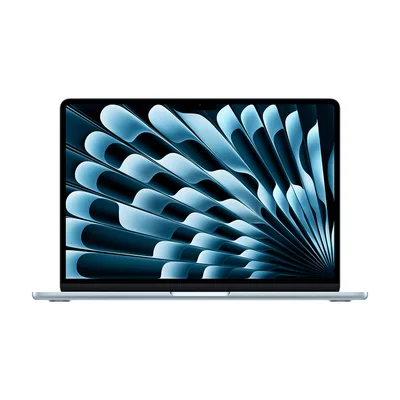
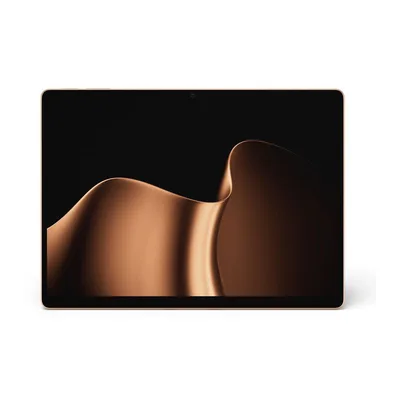
Key differences
- System Depends on you
The MacBook Air 13 runs macOS, while the Surface Pro 13 runs Windows. A Mac suits iPhone owners and creative apps, while Windows runs the widest range of programs.
- Screen Surface Pro 13 wins
The Surface Pro 13 has an OLED screen, with true blacks and rich colour, while the MacBook Air 13 has an IPS panel. Dark scenes in films look far deeper on the OLED.
- Tablet Surface Pro 13 wins
Only the Surface Pro 13 works as a tablet, which suits reading, handwritten notes and watching films in bed.
- Storage Surface Pro 13 wins
The Surface Pro 13 has a 1 TB drive, while the MacBook Air 13 has 512 GB. More room means fewer trips to the cloud or an external drive for photos, music and games.
- Pen Surface Pro 13 wins
Just the Surface Pro 13 works with a pen, so you can write notes or sketch straight on the screen.
- Keyboard MacBook Air 13 wins
Of the two, only the MacBook Air 13 has a backlit keyboard, which makes typing in a dim room or on a night train much easier.
Which one should you choose?
Choose the MacBook Air 13 if…
- you use an iPhone and want everything to work together
- you often type in dim light
Choose the Surface Pro 13 if…
- you need Windows-only software
- you watch a lot of films or work with photos
- you want to use it as a tablet
- you keep a big photo, music or game library on the laptop
Full spec comparison
These two are quite different laptops. The real differences are the operating system, the type of screen and the tablet mode.
Green cells with a ✓ mark the better spec in that row. Tick "Show differences only" to hide the rows where they match.
Performance
| Spec | Apple MacBook Air 13 (M5) | Microsoft Surface Pro 13 (12th Edition) |
|---|---|---|
| Processor | Apple M5 | Snapdragon X2 Elite |
| Graphics | Apple M5 8-core GPU | Qualcomm Adreno GPU |
| AI engine (NPU) | — | 80 TOPS |
| Memory (RAM) | 16 GB | 16 GB |
| Memory type | — | LPDDR5X |
| Maximum memory | 16 GB | 16 GB |
| Memory upgrades | Soldered (not upgradeable) | Soldered (not upgradeable) |
| Storage | 512 GB | 1 TB |
| Storage type | SSD | SSD |
| Storage interface | — | PCIe 4.0 removable SSD |
| Storage slots | 0 | 1 |
Screen
The Surface Pro 13 has a slightly sharper screen, so text looks crisper and you can fit more on screen comfortably. The Surface Pro 13 has a slightly brighter screen, 600 nits against 500.
| Spec | Apple MacBook Air 13 (M5) | Microsoft Surface Pro 13 (12th Edition) |
|---|---|---|
| Screen size | 13.6" | 13" |
| Resolution | 2.5K (2560 x 1664) | 3K (2880 x 1920) |
| Aspect ratio | — | 3:2 |
| Panel | IPS | OLED |
| Refresh rate | — | 120 Hz |
| Variable refresh (VRR) | — | Yes |
| Brightness | 500 nits | 600 nits |
| Colour range | Wide colour (P3) | sRGB and Vivid colour profiles |
| HDR | None | Dolby Vision IQ |
| Finish | — | Anti-reflective |
| Touchscreen | No | Yes |
| Pen standard | — | Microsoft Pen Protocol |
Battery and size
The MacBook Air 13 is rated for 18 hours on a charge and the Surface Pro 13 for 15.5. Both figures are best cases, and real use comes in lower on each.
| Spec | Apple MacBook Air 13 (M5) | Microsoft Surface Pro 13 (12th Edition) |
|---|---|---|
| Battery life (maker claim) | Up to 18 hours | Up to 15.5 hours |
| Battery capacity | 53.8 Wh | 53 Wh |
| Charges via | MagSafe 3 or USB-C | USB-C or Surface Connect |
| Fast charging | Fast-charge capable with 70 W or higher USB PD power source | fast charging with minimum 65 W Surface supply or 60 W USB-C PD charger |
| Weight | 1.23 kg | 1.176 kg |
| Dimensions | 304.1 x 215 x 11.3 mm | 287 x 209 x 9.3 mm |
| Materials | 100% recycled aluminium enclosure | anodized aluminium |
| Hinge | — | 165-degree full-friction kickstand |
| Colour | Sky Blue | Black |
| Colours available | Sky Blue, Silver, Starlight, Midnight | Platinum, Black |
Ports and wireless
| Spec | Apple MacBook Air 13 (M5) | Microsoft Surface Pro 13 (12th Edition) |
|---|---|---|
| Ports | 2x Thunderbolt 4 (USB-C; charging, DisplayPort, USB 4 up to 40Gb/s), 1x MagSafe 3 (charging), 1x 3.5 mm headphone jack | 2x USB-C / USB4 (both charge, data, DisplayPort 1.4a), 1x Surface Connect (charging), 1x Surface Pro Keyboard port |
| Thunderbolt / USB4 | 2x Thunderbolt 4 / USB4 40Gbps | USB4 |
| External displays (max) | 2 | 3 |
| Card reader | None | None |
| Ethernet | None | None |
| Wi-Fi | Wi-Fi 7 | Wi-Fi 7 |
| Wi-Fi card | Apple N1 | — |
| Bluetooth | Bluetooth 6 | Bluetooth 5.4 |
| Mobile data | None | None |
Features
| Spec | Apple MacBook Air 13 (M5) | Microsoft Surface Pro 13 (12th Edition) |
|---|---|---|
| Webcam | 1080p | 1440p + IR |
| Backlit keyboard | Yes | No |
| Keyboard | backlit Magic Keyboard, 78 ANSI or 79 ISO keys, 12 full-height function keys, ambient light sensor | — |
| Login | Fingerprint | Face |
| Number pad | No | No |
| Touchpad | Force Touch trackpad with pressure sensing and Multi-Touch gestures | — |
| Speakers | four-speaker sound system with Spatial Audio and Dolby Atmos | 2 W stereo speakers with Dolby Atmos |
| Microphones | three-mic array with directional beamforming | dual Studio Mics with voice focus |
| Pen | No | Supported (sold separately) |
| Security | Touch ID | Microsoft Pluton security processor, Pluton TPM 2.0, Windows Hello face authentication |
Software and model
| Spec | Apple MacBook Air 13 (M5) | Microsoft Surface Pro 13 (12th Edition) |
|---|---|---|
| Operating system | macOS | Windows 11 Home |
| Model number | MDHH4B/A | EP2-65073 |
| Released | 2026 | 2026 |