


ASUS Zenbook 14 OLED (UX3405CA) vs Microsoft Surface Laptop 13.8 (8th Edition)
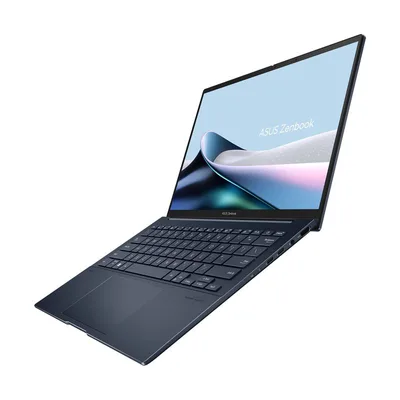
The Zenbook 14 OLED is the better choice for most people. It has an OLED screen, it has more storage and it has certified HDR. The Surface Laptop 13.8 makes more sense if you often work near a window or outdoors.
We earn a commission from qualifying Amazon purchases made through our links, at no extra cost to you. This never affects our specs. How we make money.
Key differences
- Screen Zenbook 14 OLED wins
The Zenbook 14 OLED has an OLED screen, with true blacks and rich colour, while the Surface Laptop 13.8 has an LCD panel. Films and photos look noticeably better on the OLED.
- Storage Zenbook 14 OLED wins
The Zenbook 14 OLED has a 1 TB drive, while the Surface Laptop 13.8 has 512 GB. More room means fewer trips to the cloud or an external drive for photos, music and games.
- Brightness Surface Laptop 13.8 wins
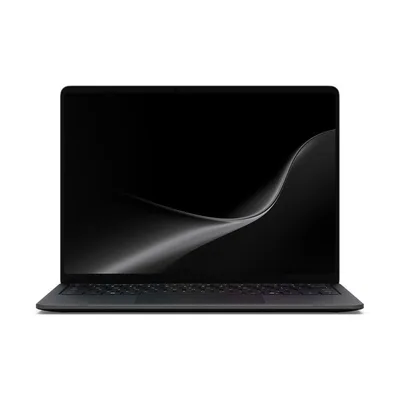
The Surface Laptop 13.8 has the brighter screen, 600 nits against 400, so it's easier to read near a window or on a train.
- HDR Zenbook 14 OLED wins
The Zenbook 14 OLED has a screen with an HDR certificate, so films and games show brighter highlights and deeper shadows. The Surface Laptop 13.8 doesn't list an HDR certificate.
- Battery size Zenbook 14 OLED wins
The Zenbook 14 OLED has the bigger battery, 75 Wh against 54 Wh, so it should last longer between charges.
- Pen Zenbook 14 OLED wins
Of the two, only the Zenbook 14 OLED works with a pen, so you can write notes or sketch straight on the screen.
Which one should you choose?
Choose the Zenbook 14 OLED if…
- you watch a lot of films or work with photos
- you keep a big photo, music or game library on the laptop
- you work away from a socket for long stretches
- you want to sketch or mark up documents with a pen
Choose the Surface Laptop 13.8 if…
- you often work near a window or outdoors
- you want smoother scrolling
- you want Windows' newest AI features to run smoothly
- you read or write a lot on screen
Full spec comparison
Both run Windows, so they suit similar buyers. The real differences are the screen and storage.
Green cells with a ✓ mark the better spec in that row. Tick "Show differences only" to hide the rows where they match.
Performance
The Surface Laptop 13.8 has a much faster built-in AI chip, which speeds up Windows features like live captions, background blur and on-device AI tools.
| Spec | ASUS Zenbook 14 OLED (UX3405CA) | Microsoft Surface Laptop 13.8 (8th Edition) |
|---|---|---|
| Processor | Intel Core Ultra 7 255H | Snapdragon X2 Plus (10 Core) |
| Graphics | Intel Arc 140T | Qualcomm Adreno GPU |
| AI engine (NPU) | 13 TOPS | 80 TOPS |
| Memory (RAM) | 16 GB | 16 GB |
| Memory type | LPDDR5X | LPDDR5x |
| Maximum memory | 16 GB | 16 GB |
| Memory upgrades | Soldered (not upgradeable) | Soldered (not upgradeable) |
| Storage | 1 TB | 512 GB |
| Storage type | SSD | SSD |
| Storage interface | PCIe 4.0 NVMe M.2 2280 | Removable Gen 4 SSD |
| Storage slots | 1 | — |
Screen
The Surface Laptop 13.8 has the smoother screen, 120Hz against 60Hz, so scrolling and moving windows look smoother. The Surface Laptop 13.8 has a slightly sharper screen, so text looks crisper and you can fit more on screen comfortably.
| Spec | ASUS Zenbook 14 OLED (UX3405CA) | Microsoft Surface Laptop 13.8 (8th Edition) |
|---|---|---|
| Screen size | 14" | 13.8" |
| Resolution | Full HD+ (1920 x 1200) | 2K (2304 x 1536) |
| Aspect ratio | 16:10 | 3:2 |
| Panel | OLED | LCD |
| Refresh rate | 60 Hz | 120 Hz |
| Variable refresh (VRR) | No | — |
| Brightness | 400 nits | 600 nits |
| Colour range | 100% DCI-P3 | — |
| HDR | VESA DisplayHDR True Black 500 | HDR, 600 nits peak; Dolby Vision IQ support |
| Finish | Glossy | — |
| Touchscreen | Yes | Yes |
| Pen standard | MPP 2.0 | — |
Battery and size
| Spec | ASUS Zenbook 14 OLED (UX3405CA) | Microsoft Surface Laptop 13.8 (8th Edition) |
|---|---|---|
| Battery life (maker claim) | — | Up to 20 hours |
| Battery capacity | 75 Wh | 54 Wh |
| Charger | 65 W | — |
| Charges via | USB-C | USB-C (USB4) and Surface Connect |
| Fast charging | — | Fast charging supported with min. 60W USB-C PD charger or 65W Surface Power Supply (sold separately); no percentage/time claim |
| Weight | 1.28 kg | 1.36 kg |
| Dimensions | 312.4 x 220.1 x 14.9 mm | 301 x 220 x 17.5 mm |
| Materials | — | Recycled aluminium alloy enclosure (A cover and C bucket) |
| Durability | US MIL-STD-810H | — |
| Colour | Ponder Blue | Black |
| Colours available | Ponder Blue, Jasper Gray, Foggy Silver | Black, Platinum |
Ports and wireless
Only the Zenbook 14 OLED has HDMI, so you can connect a TV or monitor without an adapter.
| Spec | ASUS Zenbook 14 OLED (UX3405CA) | Microsoft Surface Laptop 13.8 (8th Edition) |
|---|---|---|
| Ports | 2x Thunderbolt 4 (USB-C, both support charging and DisplayPort, up to 40Gbps), 1x USB-A 3.2 Gen 1 (5Gbps), 1x HDMI 2.1 (TMDS), 1x 3.5 mm combo audio | 2x USB-C / USB4 (charging, data, DisplayPort 2.1), 1x USB-A 3.2, 1x 3.5 mm audio, 1x Surface Connect (charging) |
| Thunderbolt / USB4 | 2x Thunderbolt 4 (40 Gbps) | USB4 |
| External displays (max) | — | 3 |
| Card reader | None | None |
| Ethernet | None | None |
| Wi-Fi | Wi-Fi 7 | Wi-Fi 7 |
| Bluetooth | Bluetooth 5.4 | Bluetooth 5.4 |
| Mobile data | None | None |
Features
| Spec | ASUS Zenbook 14 OLED (UX3405CA) | Microsoft Surface Laptop 13.8 (8th Edition) |
|---|---|---|
| Webcam | 1080p + IR | 1080p |
| Webcam privacy | physical shutter | — |
| Backlit keyboard | Yes | Yes |
| Keyboard | backlit chiclet, 1.4 mm key travel, Copilot key | Automatic backlight, Copilot key |
| Login | Face | Face |
| Number pad | No | No |
| Touchpad | precision touchpad | Precision haptic touchpad with advanced haptics and adaptive touch mode |
| Speakers | Harman Kardon stereo speakers | Omnisonic speakers with Dolby Atmos |
| Microphones | built-in array microphone | Dual Studio Mics with voice focus |
| Pen | Supported (sold separately) | No |
| Security | TPM 2.0, Windows Hello face recognition | TPM 2.0, Microsoft Pluton security processor |
Software and model
| Spec | ASUS Zenbook 14 OLED (UX3405CA) | Microsoft Surface Laptop 13.8 (8th Edition) |
|---|---|---|
| Operating system | Windows 11 Home | Windows 11 Home |
| Model number | UX3405CA-QL192W | EP2-60925 |
| Released | 2025 | 2026 |